menu_open
Open Menu
Season Management — a unified settings experience for admins
Project Summary and Role

During my academic-year internship with NBCUniversal SportsEngine, I redesigned the settings experience for Season Management (SM). I created a higher-level settings page that helps admins manage their sports organizations more intuitively and efficiently. I led research, competitive analysis, wireframing, iteration, and applied Object-Oriented UX principles to structure the system for long-term scalability.

SKILLS
UI/UX Design
UX Research
Prototyping
OOUX
TOOLS
Figma
Qualtrics
DURATION
5 months
TEAM
Me
Macie (Designer)  
Chris (Senior Designer)

*Macie and Chris provided feedback and some guidance with the OOUX workshop :)

Company Overview
A software that streamlines youth sports administration, enhancing the experience for coaches, athletes, parents, and organizations.
The the core platform where sports organizations manage their day-to-day operations.
What is Season Management (SM)?
A tool within SportsEngine HQ — helps organizations plan, organize, and execute entire seasons, including creating teams, divisions, schedules, and rosters.

Problem

Scattered settings, frustrated admins

Across the platform, settings were inconsistently designed and scattered across tabs — confusing users who expected a unified experience. Within Season Management itself, critical settings were hidden, poorly organized, or mixed into other workflows. Admins like Victor, our primary persona, needed a centralized and consistent settings experience to manage seasons efficiently.

Goal

Create an intuitive and scalable settings framework

I set out to:
  • Centralize and organize settings for better discoverability
  • Differentiate between object-level edits and higher-level season settings
    Establish design patterns that could scale across all SportsEngine platforms (HQ, Mobile, SE Play, TourneyMachine, etc.)
More context: sports hierarchy
Organization
The overarching entity that governs the sports activities. Responsible for setting up and managing multiple seasons, divisions, and teams. Oversees the broader administrative tasks (registrations, payment processing).
Season
A specific period during which a series of sports activities, games, or events are scheduled (Fall 2024).
Team
A group of athletes who compete together in games or events. Teams are usually formed within a specific season.
Season Management Settings

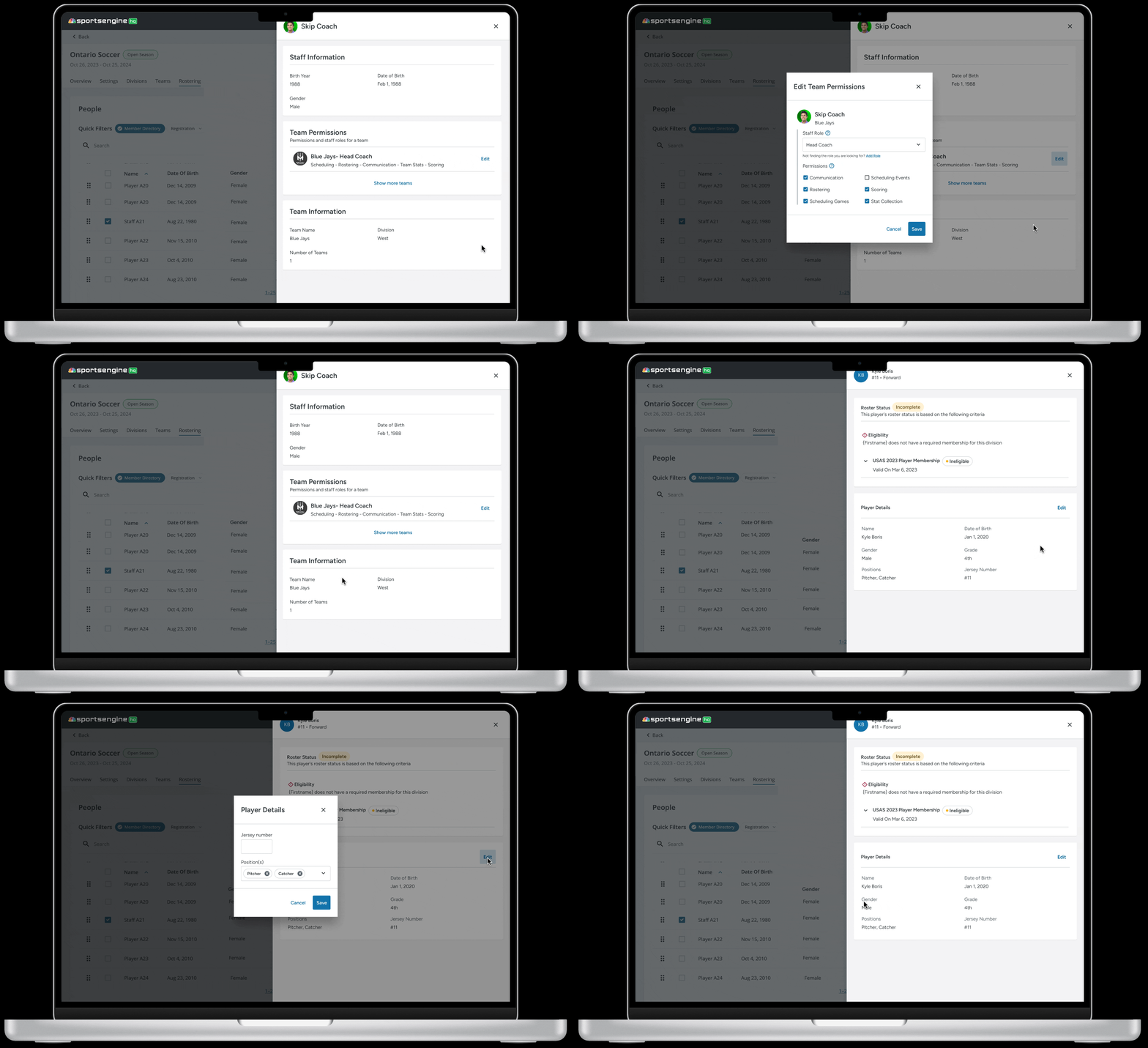
Object-Level Settings

Desktop

Administrators also have granular control over specific objects within a season.

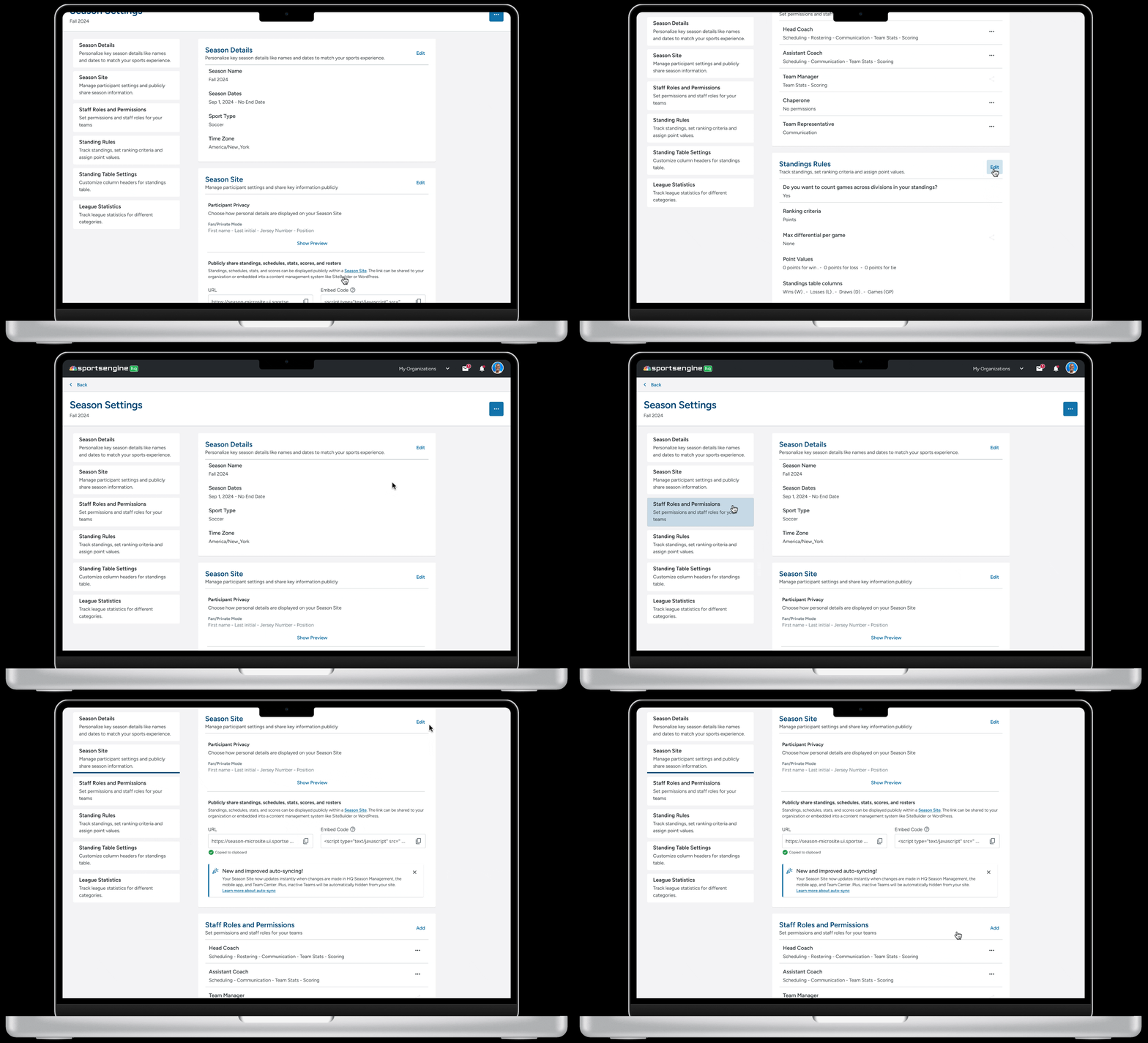
Season-Level Settings

Desktop

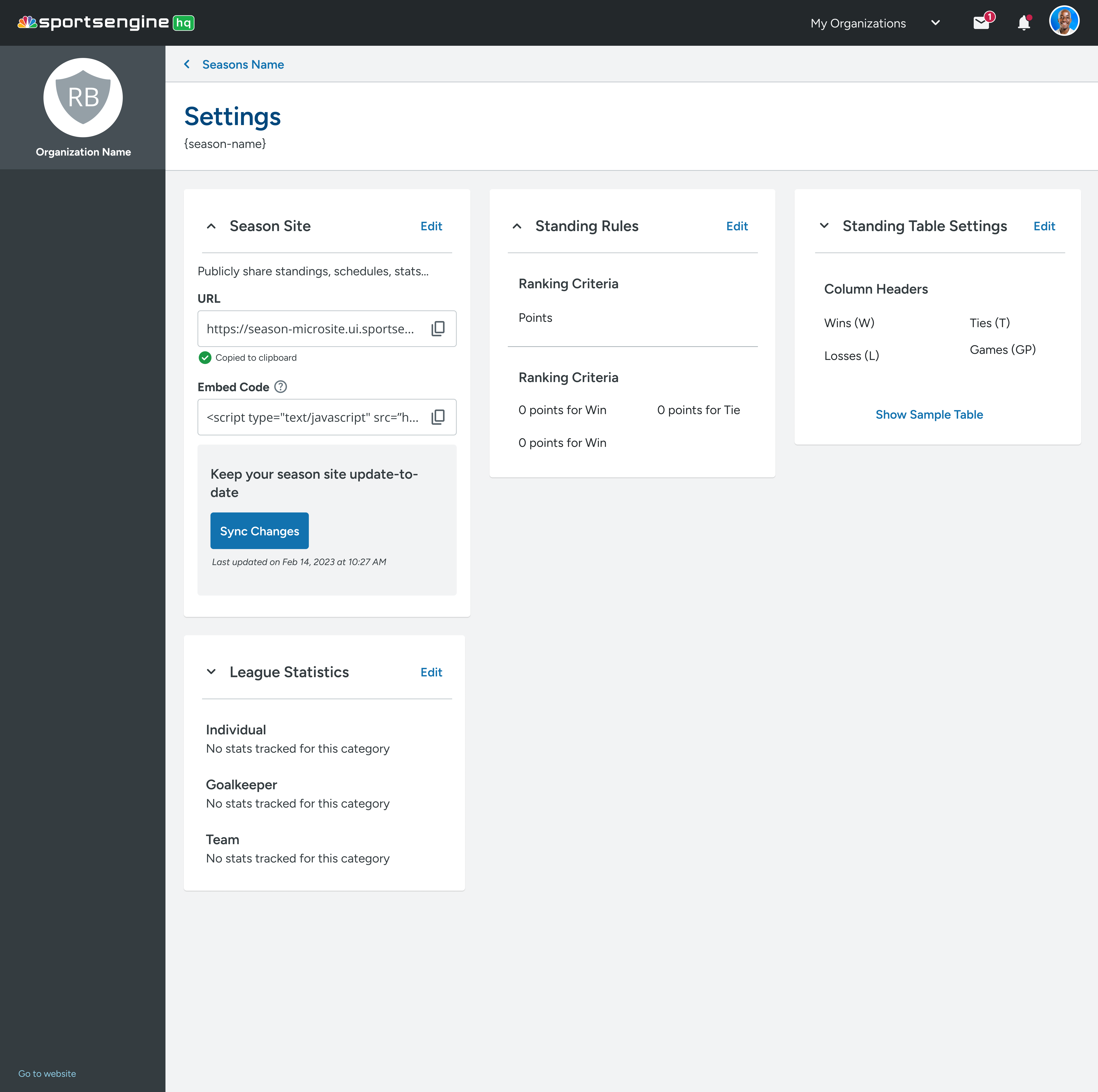
Administrators have a centralized location within Season Management to manage high-level aspects of a sports season.

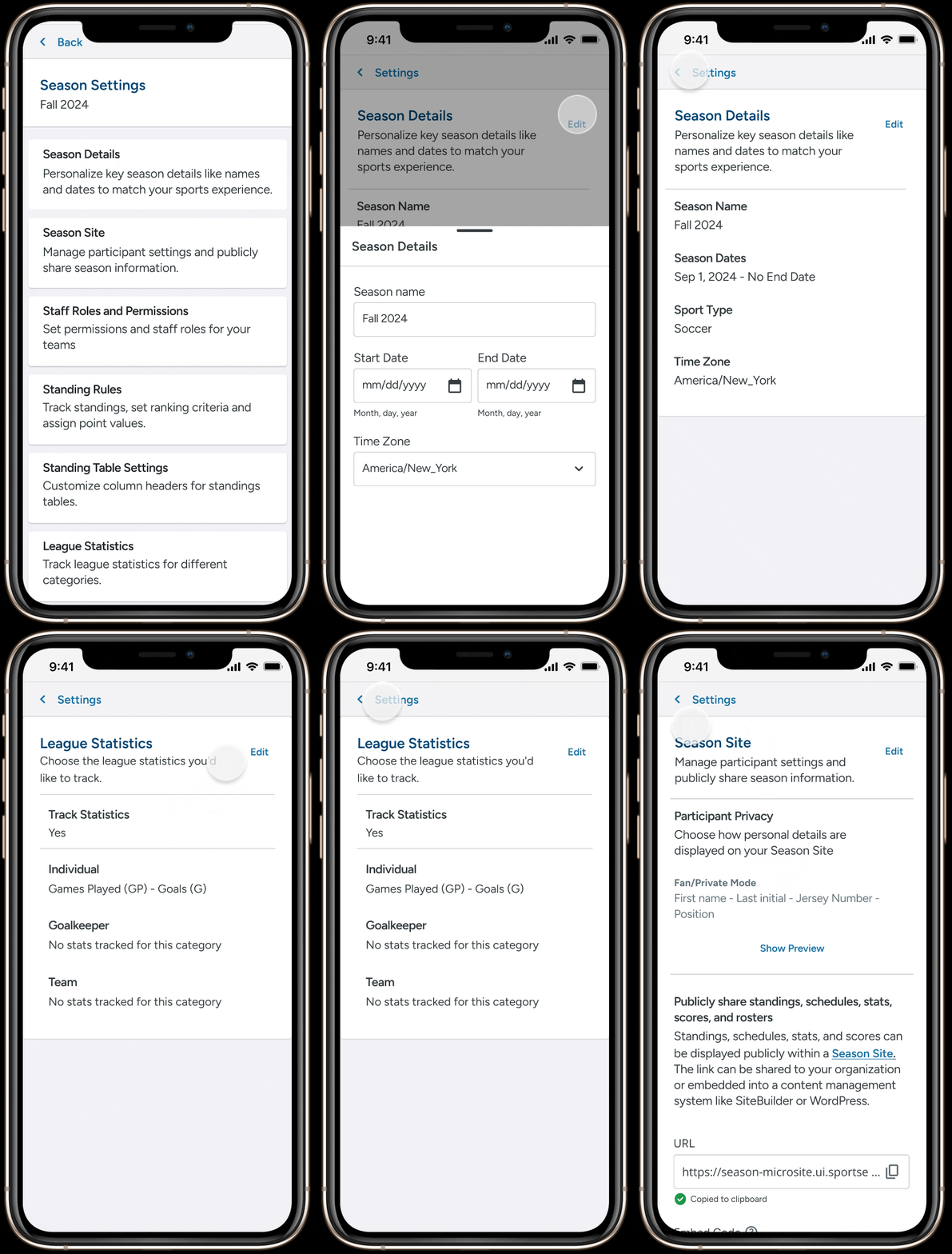
Mobile

I adapted the desktop settings design to mobile, optimizing for:

The mobile experience preserved consistency without sacrificing usability.

Impact

Reduced click paths by ~25% in prototypes.

Created a scalable settings system for future expansion.

Created a scalable settings system for future expansion.

Discovery: Auditing a fragmented experience

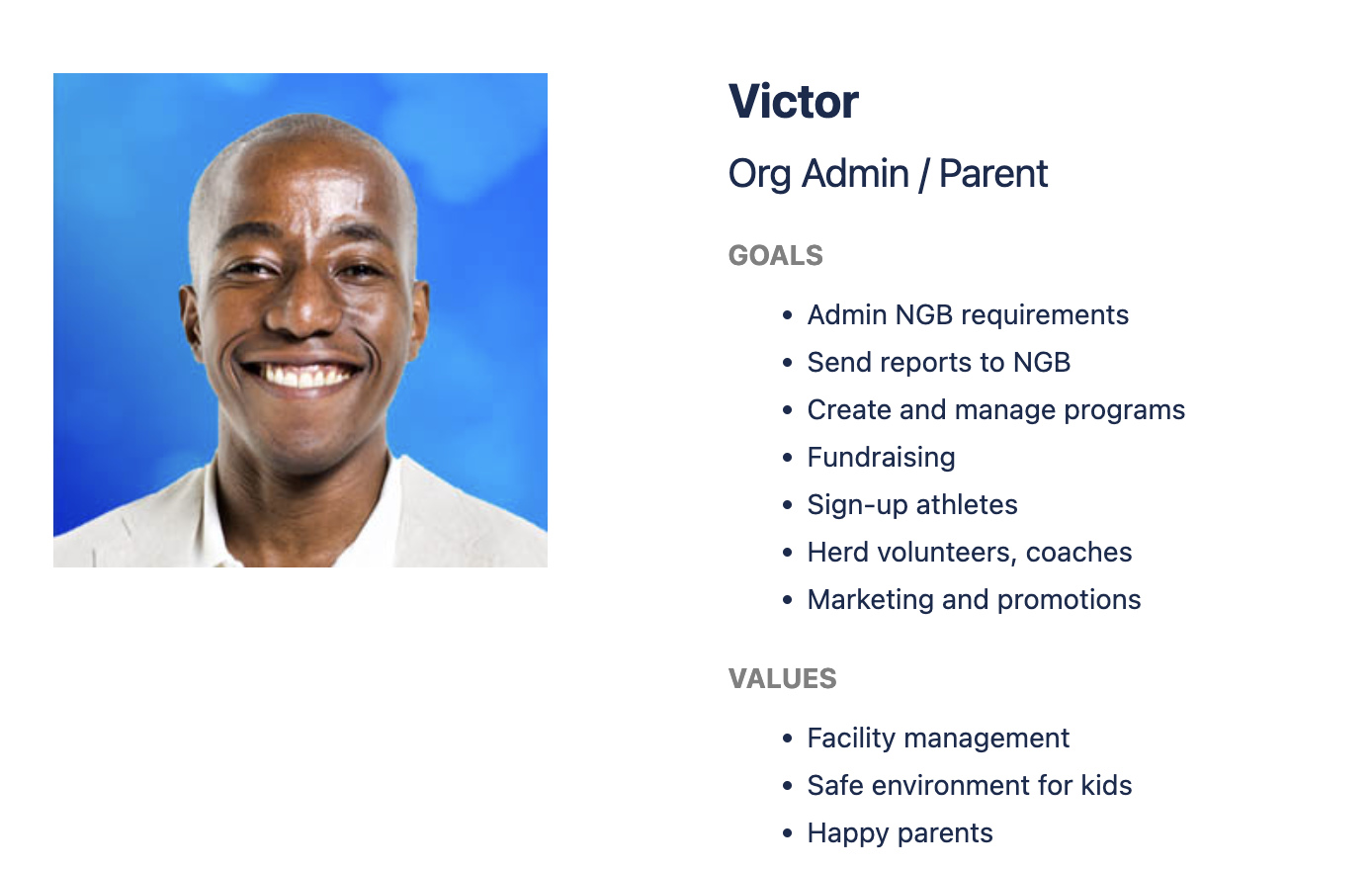
Admin Persona

Victor represented the main persona I focused on during my design process. As the individual responsible for managing seasons, he relies on SportsEngine HQ to carry out his tasks.

Audited Settings interaction patterns across all of Sportsengine HQ

To understand the landscape, I audited how settings were displayed and edited across SportsEngine HQ:

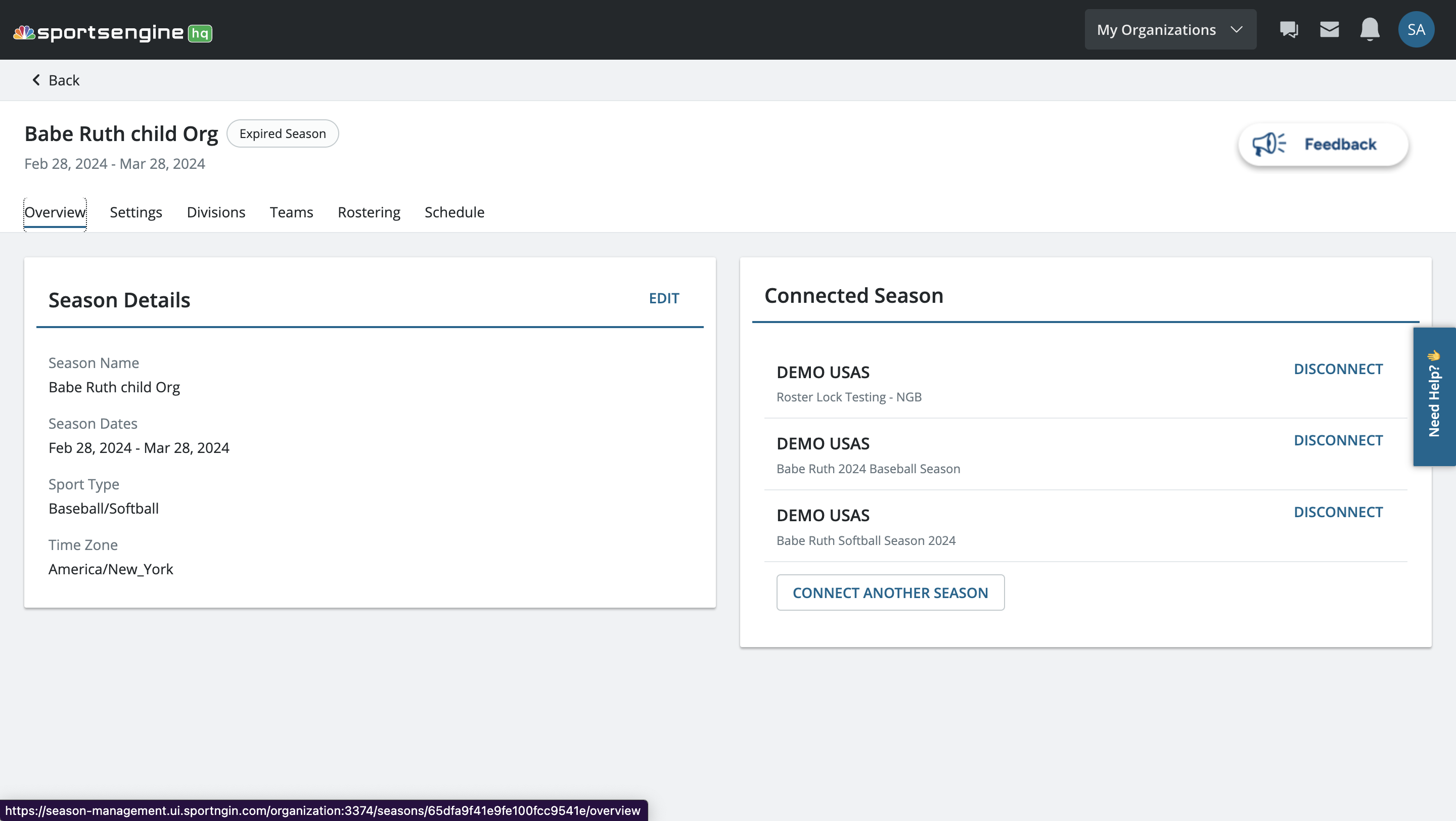
Previous Season Management Settings
Overview tab
Wasted valuable screen space with minimal actionable insights — overview could be utilized as a dashboard instead of settings from the get-go.
Settings tab
Settings is poorly prioritized — should be nested away because they're rarely accessed. Users are mainly concerned with running their season.
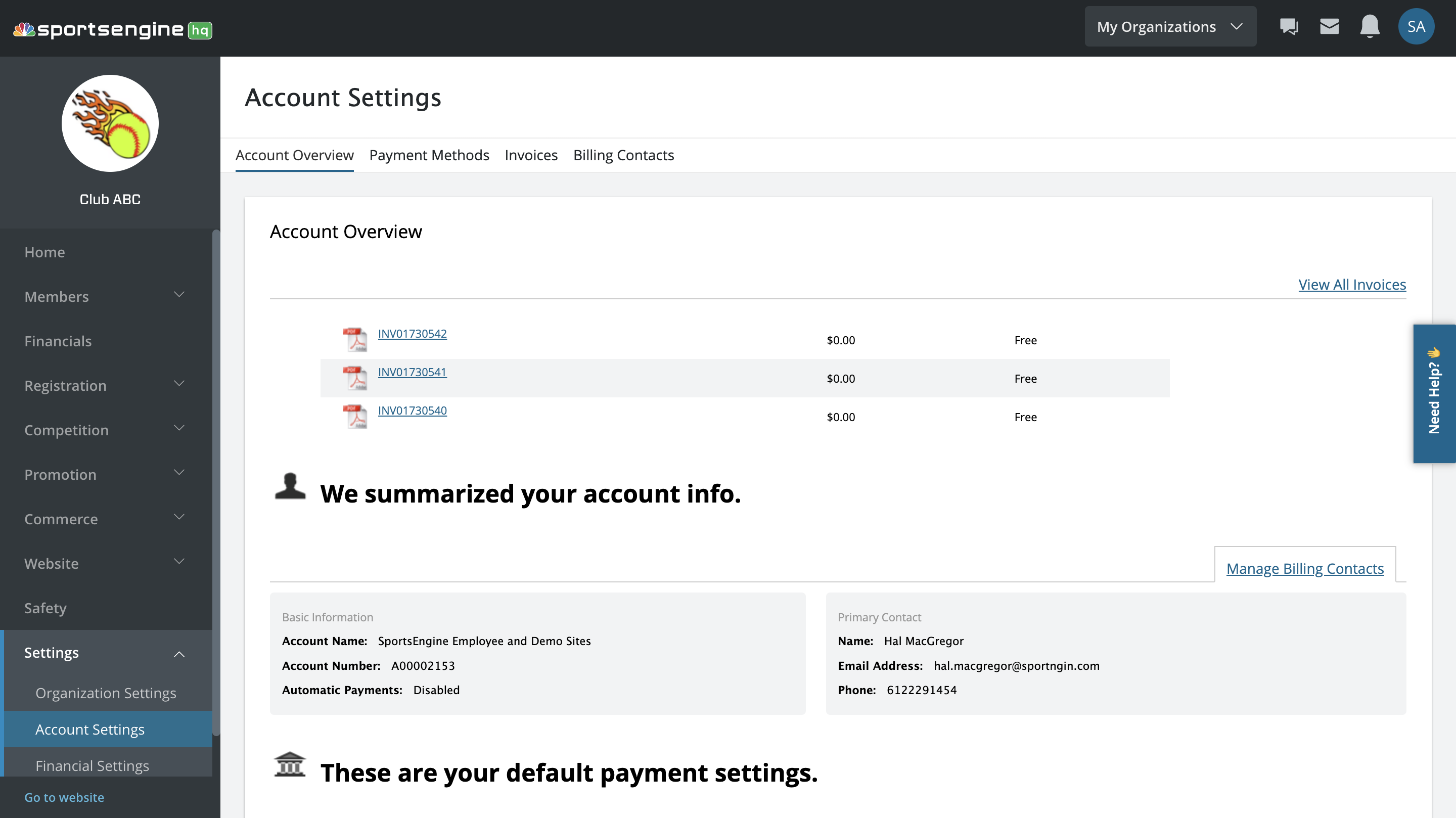
Account settings page
Used outdated patterns not supported by the current design system.

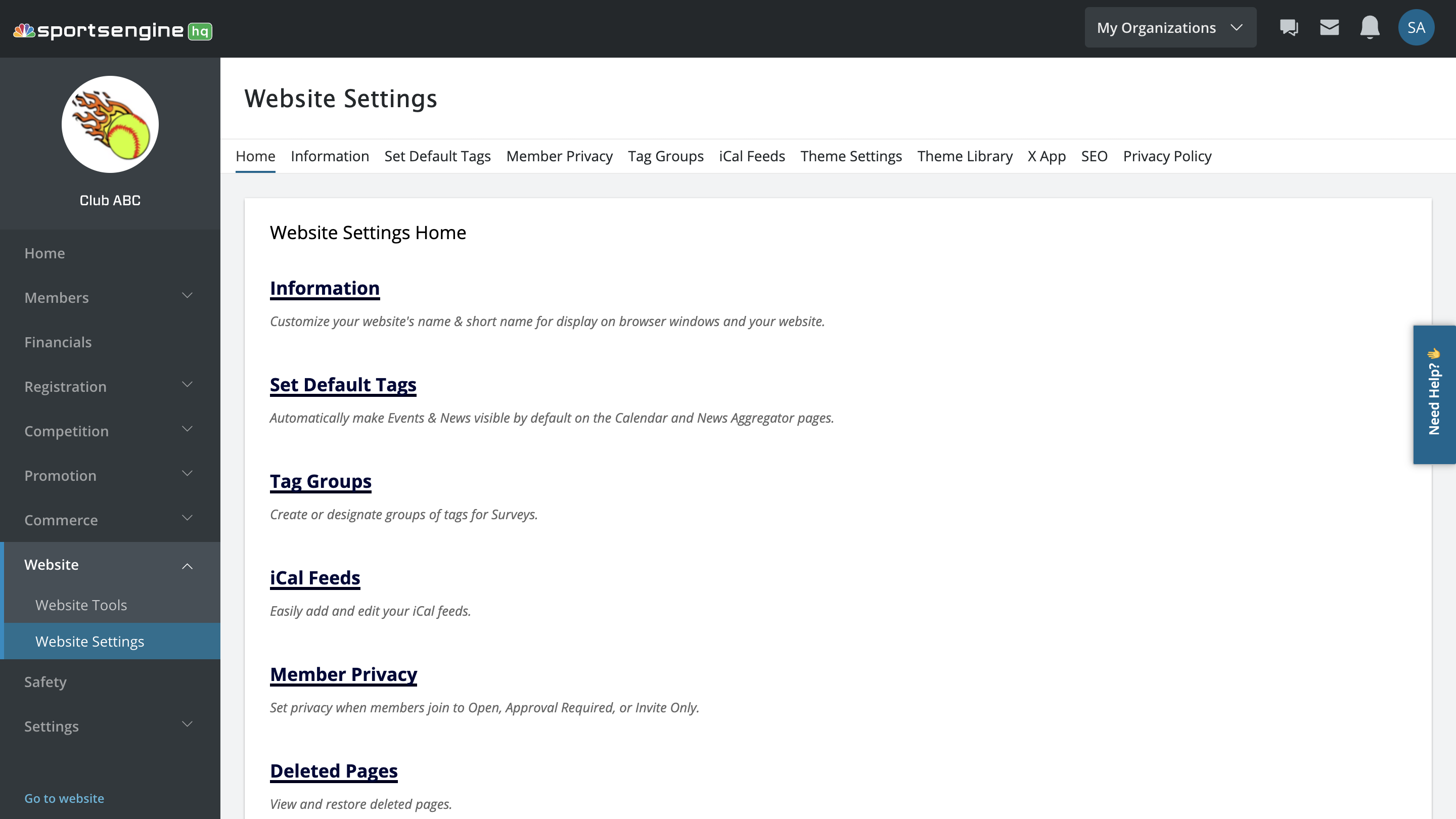
Website settings page
Used outdated patterns not supported by the current design system.
Key Takeaways
  • Scattered settings
    Settings were scattered and hidden, frustrating users.
  • Need for global settings AND season settings
    Users require more global, granular control, such as allowing orgs to set default roles and handling limited/full permissions.
  • Consistency in editing patterns
    Consistent editing patterns were lacking. Settings outside of Season Management stray from the "Edit Button > Modal Popup" pattern.

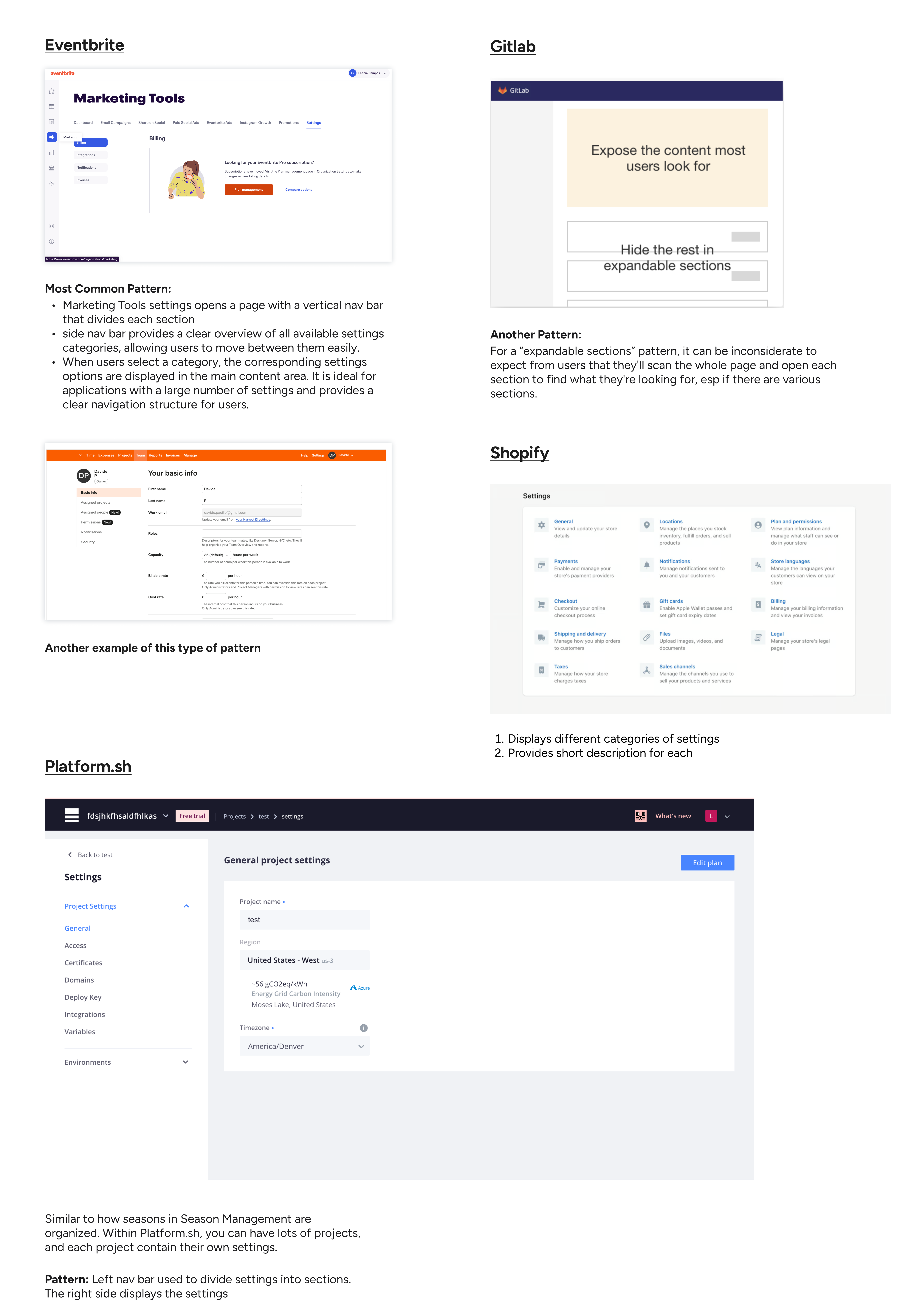
Competitive analysis: learning best practices

Studying other platforms revealed best practices:
  • Tab navigation for easy movement between dense settings.
  • Expandable accordions used carefully (only for low-priority content).
  • Clear labels and descriptions to guide users through complex options.
Iterating different layouts to reduce friction

I brainstormed several structures for a more intuitive settings page in Season Management to gather feedback from the team on some tangible ideas.

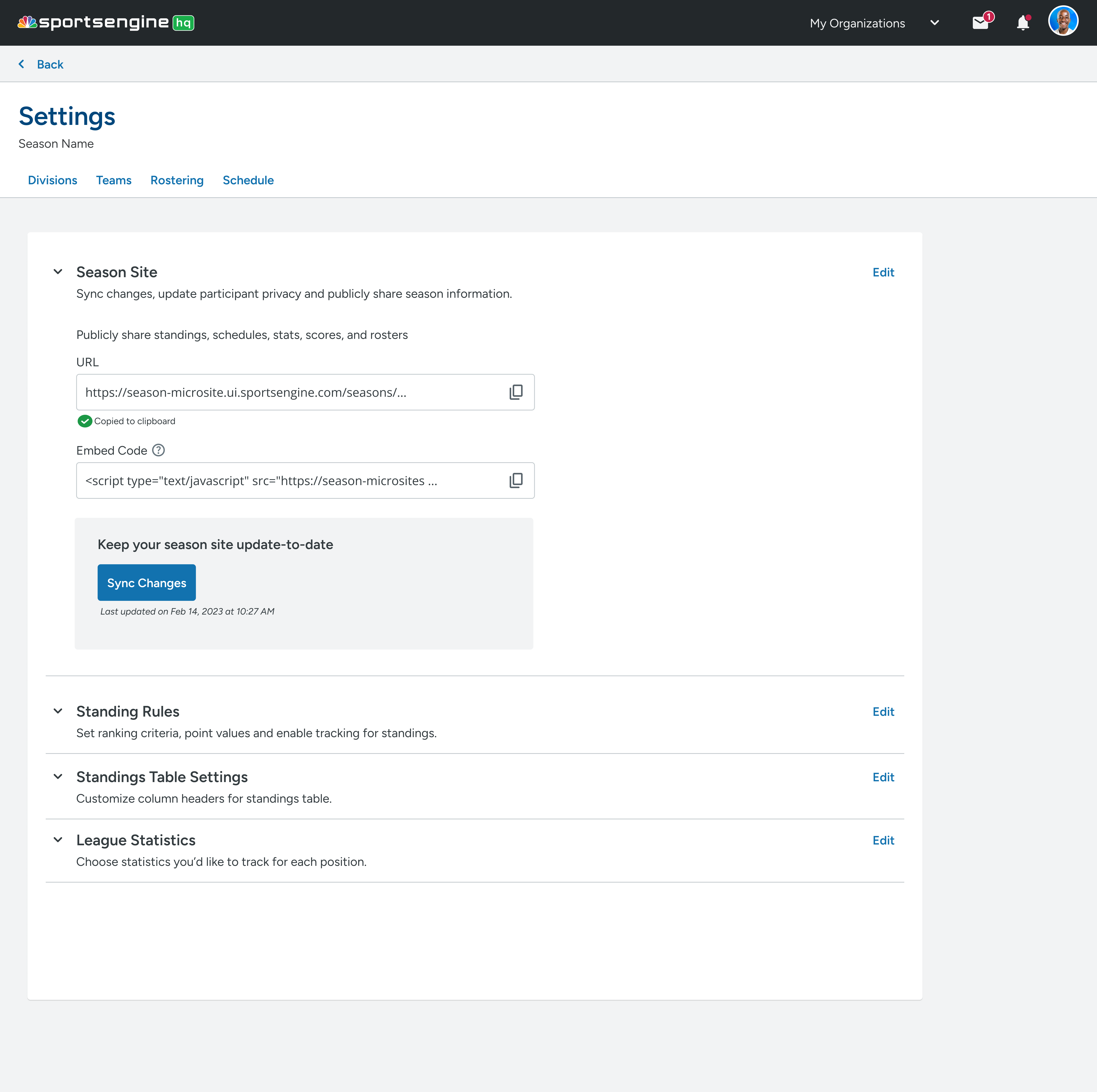
Expandable cards
  • Box previews of settings for better scannability.
  • Uses closing/expansion to avoid overwhelming users at the start.
  • Expanded cards reveal more information while user stays in the same viewport.
Pitfall: Clicking repeatedly to expand can still be tedious.
Accordions
  • Prioritize most-used settings open by default (80/20 Pareto rule)
  • Hide less-used settings behind collapsible sections.
Pitfall: Extra clicks still slow down access.

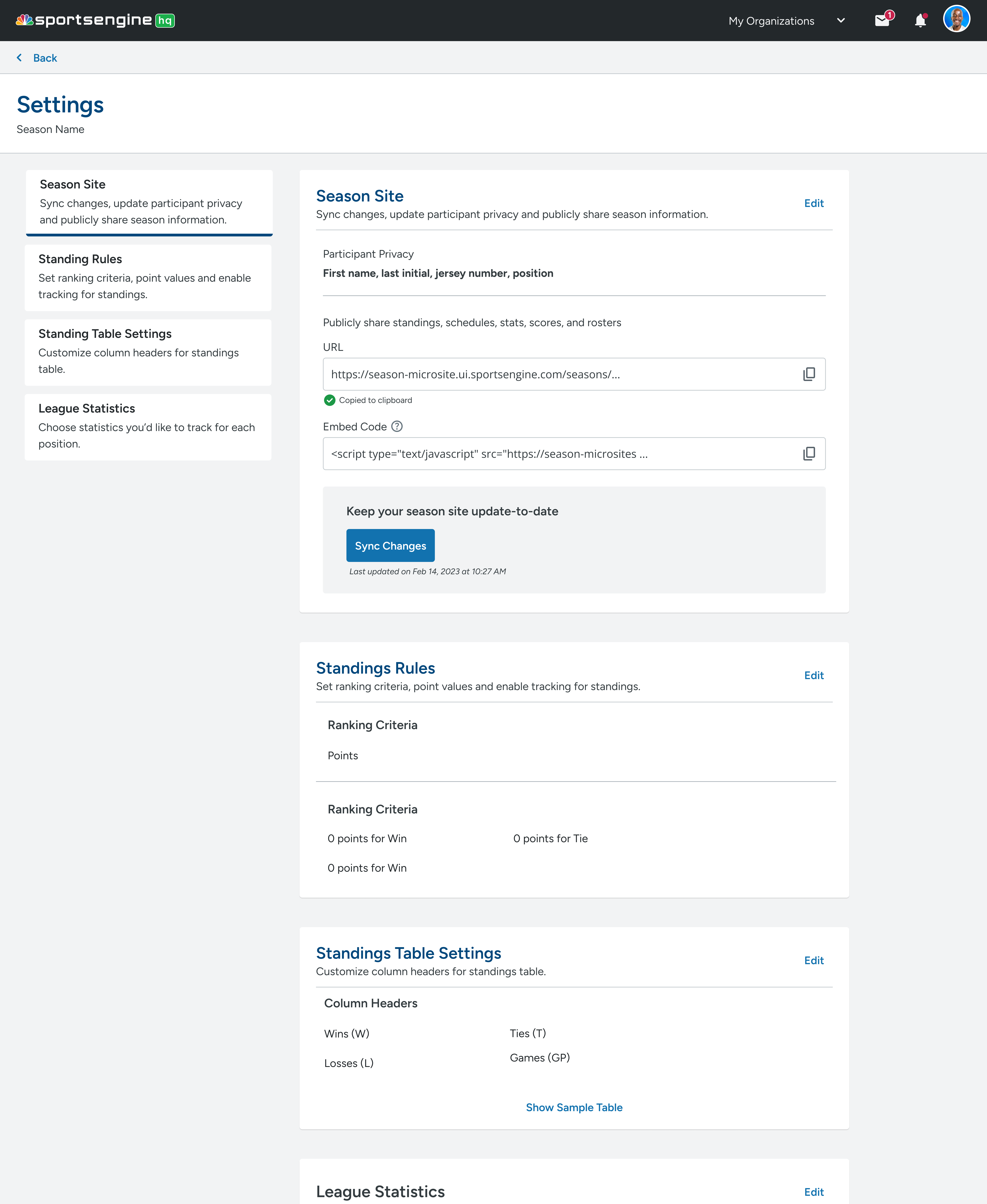
Vertical tabs (final direction)
  • Group settings logically/by level of user engagement and allow sticky navigation while scrolling.
  • Descriptive labels for each section to increase findability.
  • Reduced interaction cost — one click moves between major categories.
Vertical tabs emerged as the best solution based on user-centered design principles and feedback.
Challenge: Defining "What is a setting?" and clarifying scope

Even after agreeing on the structure, deeper questions surfaced:

  • Is changing a jersey number a "setting"? (No — it's a detail.)

  • Should all edits live under "settings," or only season-wide/global controls?

  • Where do we give user’s editing capabilities and how do we design the editing experience for various levels of settings?

Just editing information does not make it a setting.

We needed to differentiate:

  • Details (object-level edits done in context).

  • Settings (higher-level configuration affecting broader systems).

This distinction was crucial for reducing clutter and helping admins focus.

Object-Oriented UX (OOUX): Structuring the system

Design objects before actions

Object-oriented UX is the process of first planning designing the system's objects and how they relate to each other before thinking about what actions the user will take on those objects.

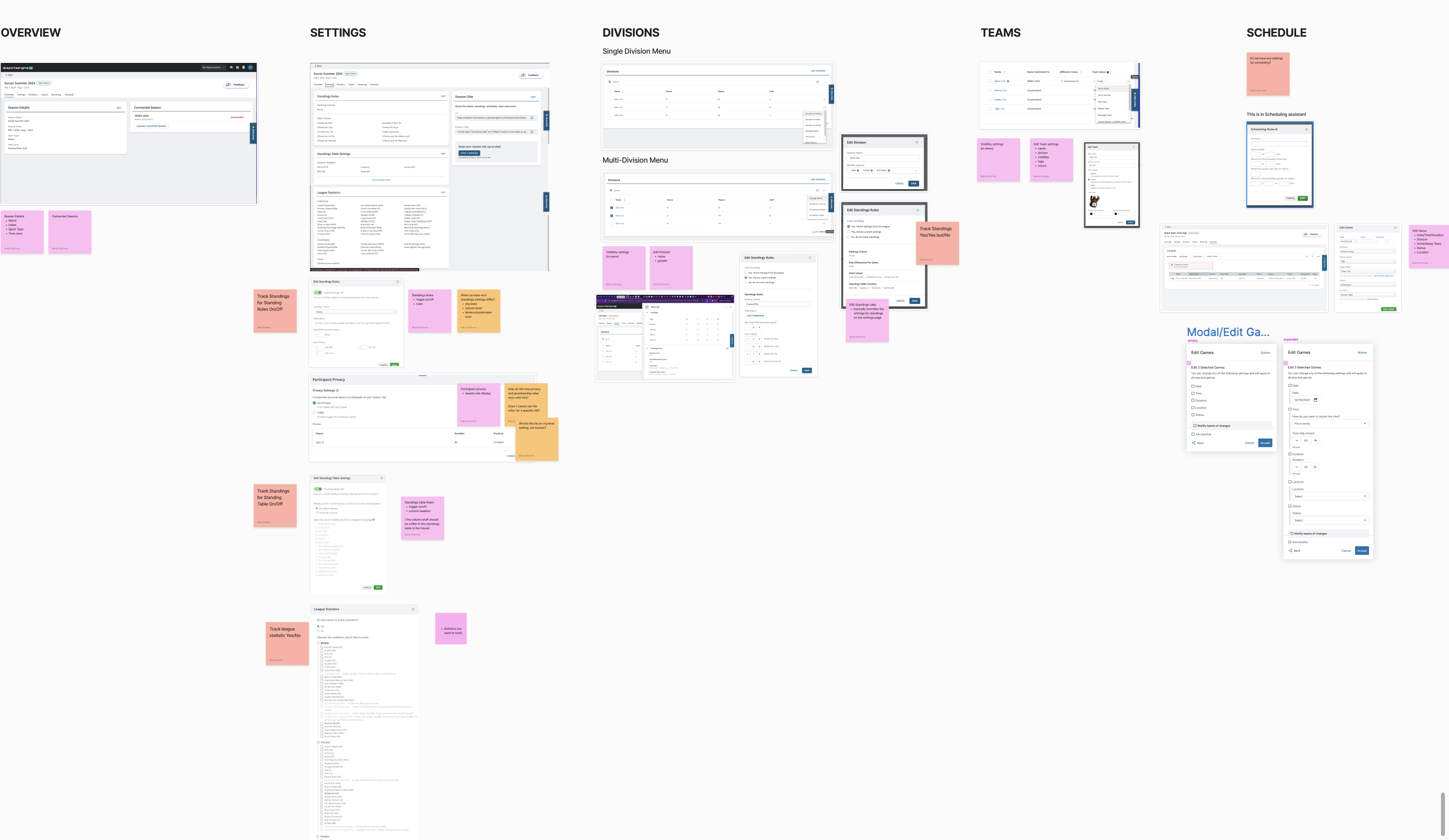
Macie and I ran a OOUX workshop to create different levels of settings. Viewing the content within Season Management as objects would lead to a better understanding all the components that users interact with in SM. In turn, it would help us group related object/settings together and align the user experience with our users' mental models.

OOUX allowed us to align the interface with admins' mental models — ensuring edits were intuitive and efficient.

OOUX process

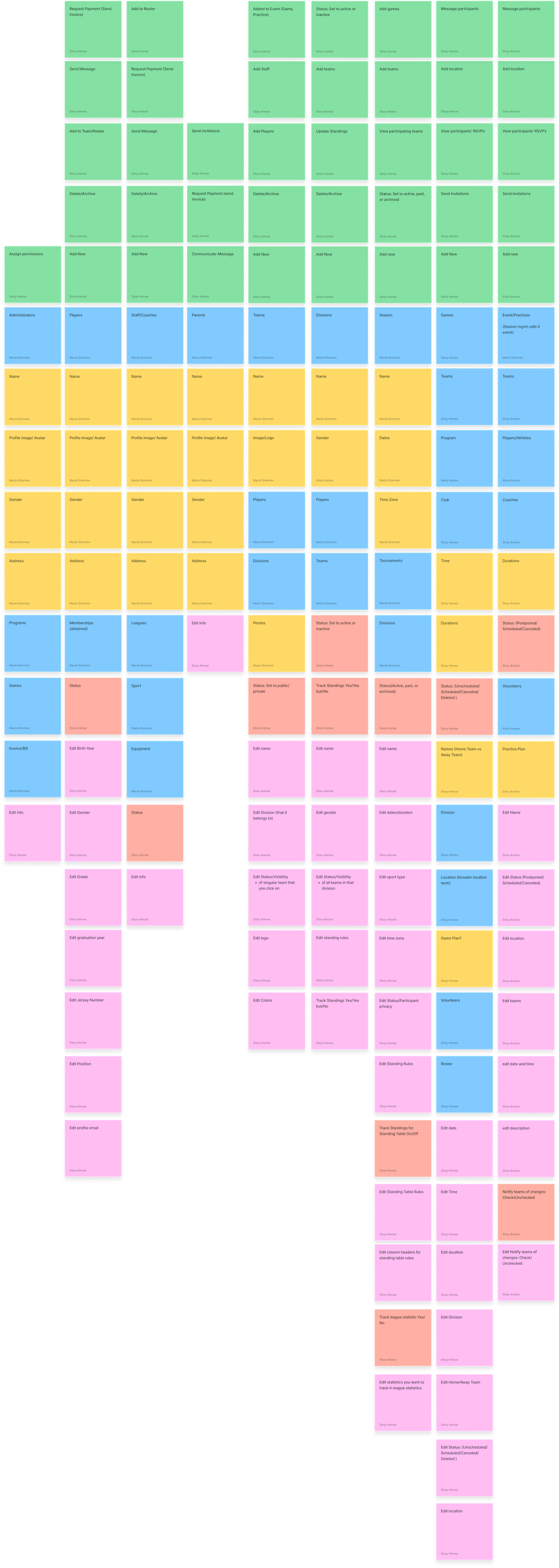
1. Identified editable objects and settings in Season Management

We took screenshots of all the objects in SM that users interact with and their core content/metadata. We also created stickies documenting what is editable.
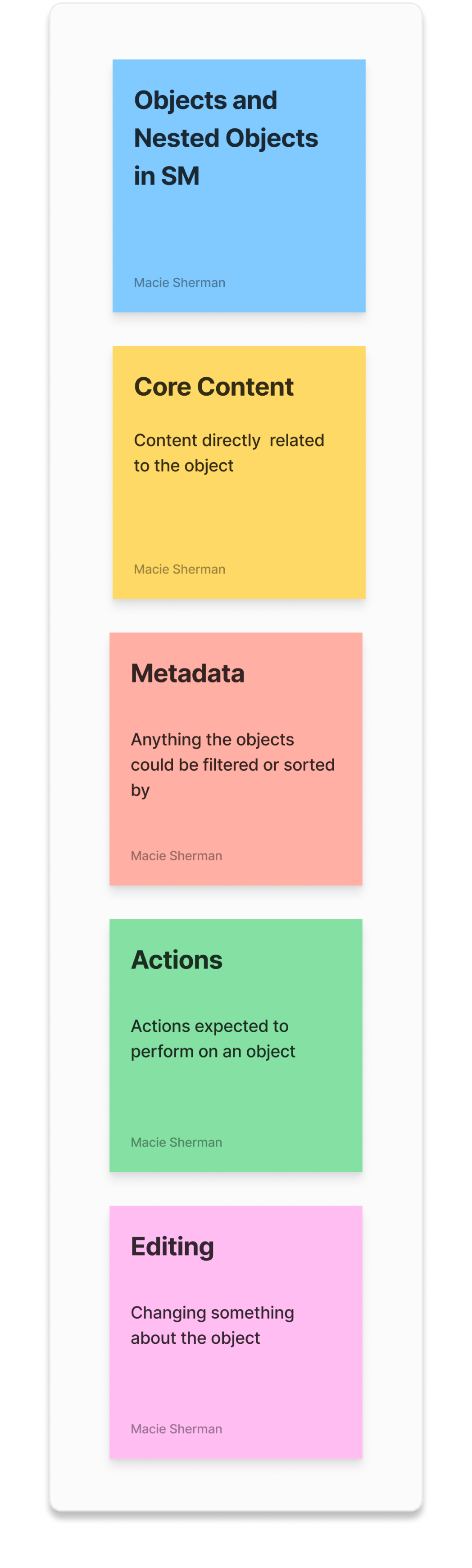
2. Created sticky columns

Mapped main objects and related content within Season Management using stickies. We used this key to document the following:
3. Synthesis
Object-Specific Settings

There were object-specific “settings” that were more like details. Details editing is often focused on customizing specific elements within the user's immediate context or workflow so it’s more intuitive to to configure that “setting” in context.

Ex: Editing the jersey number of a player. you wouldn't think to go to a settings page to do that

Higher-Level Settings

Settings editing typically relate to broader, system-level configurations that affect the overall behavior or appearance of the application. Settings often include options that impact the user's experience globally or at a higher level, like changing language preferences, but in this case, there are settings that only affect objects within a specific season AND settings that might affect SportsEngine HQ globally.

OOUX informed us that there were different types of settings and that we really needed to solidly define what the levels are and what constitutes each level. We started asking:

“Is this setting local to SM or is it more global”  “Is it a setting at all?”

Using OOUX to create settings categories

We created three main categories for editing settings/details. We also determined what specific objects belonged in which category. One by one, we copied over the objects (blue stickies) and things you can edit (pink stickies) from the giant sticky columns, and placed them to the corresponding level they belonged in.

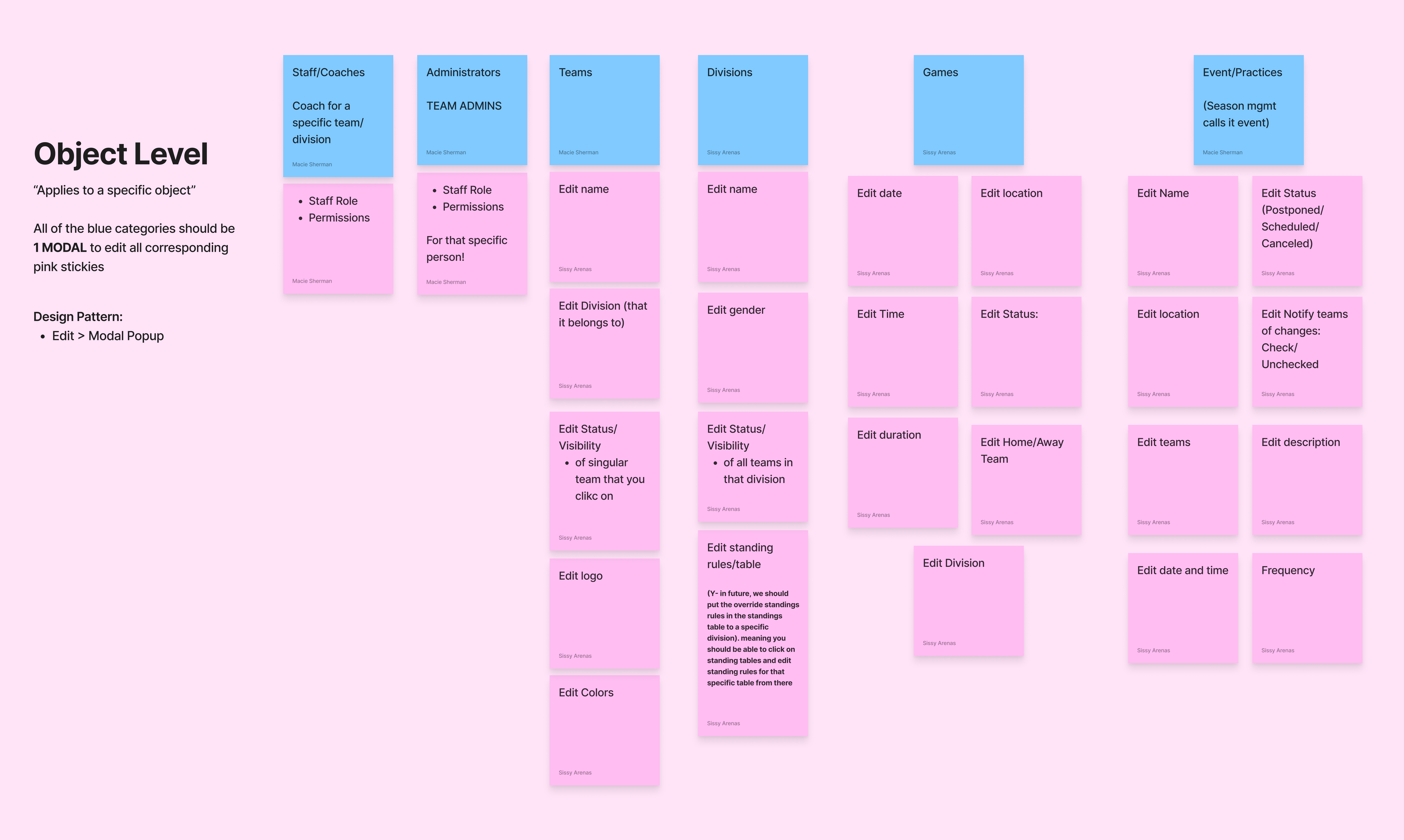
Object Level: Non-settings content or details

OOUX informed us that there were "settings" or details that were only edited at the object-level, meaning a user could edit it in the same context as whatever workflow they're in as opposed to going to a separate settings page. It applies to a specific object.

I.e editing the jersey number of a player.

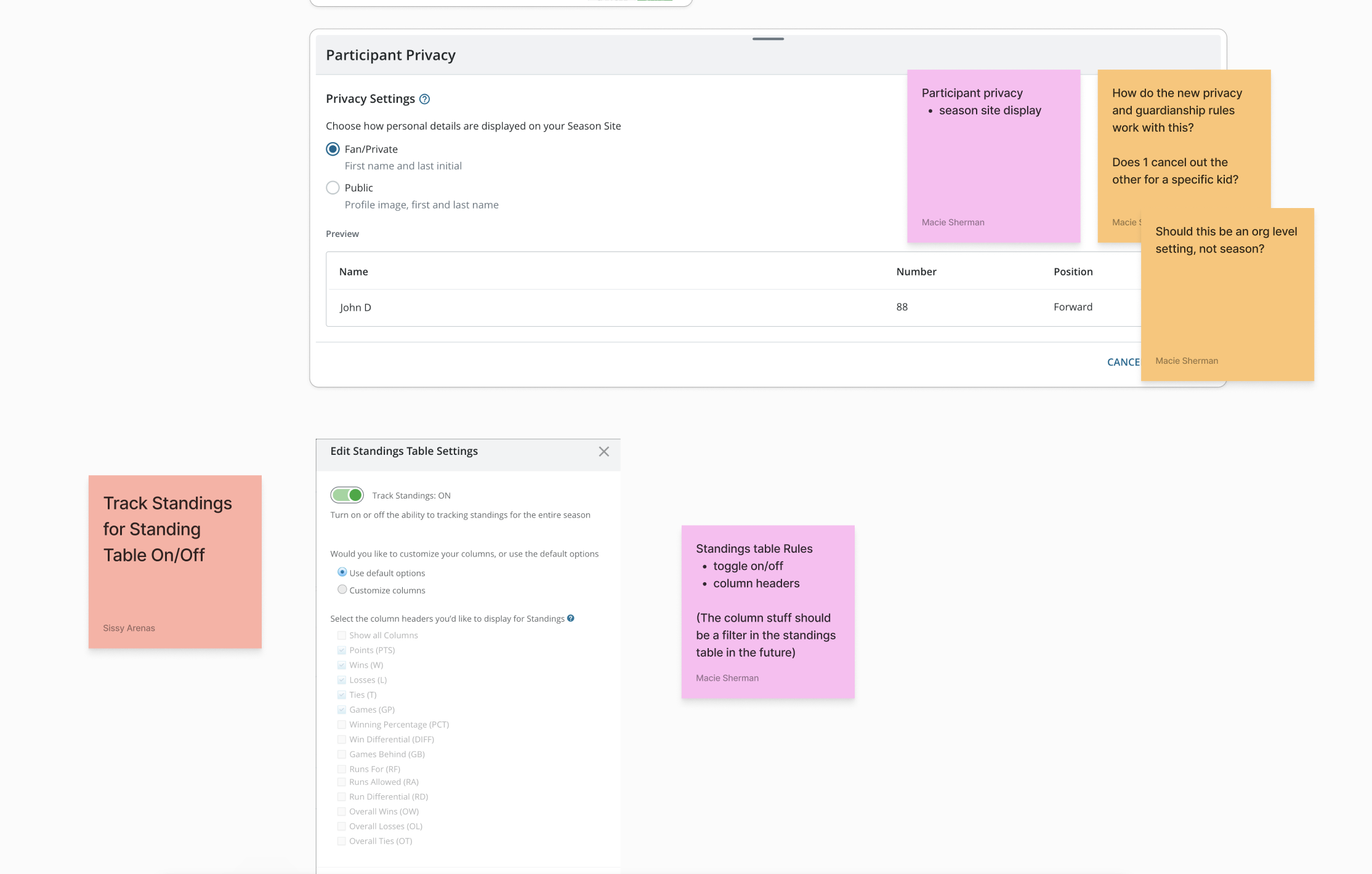
Season Level: Season-specific settings
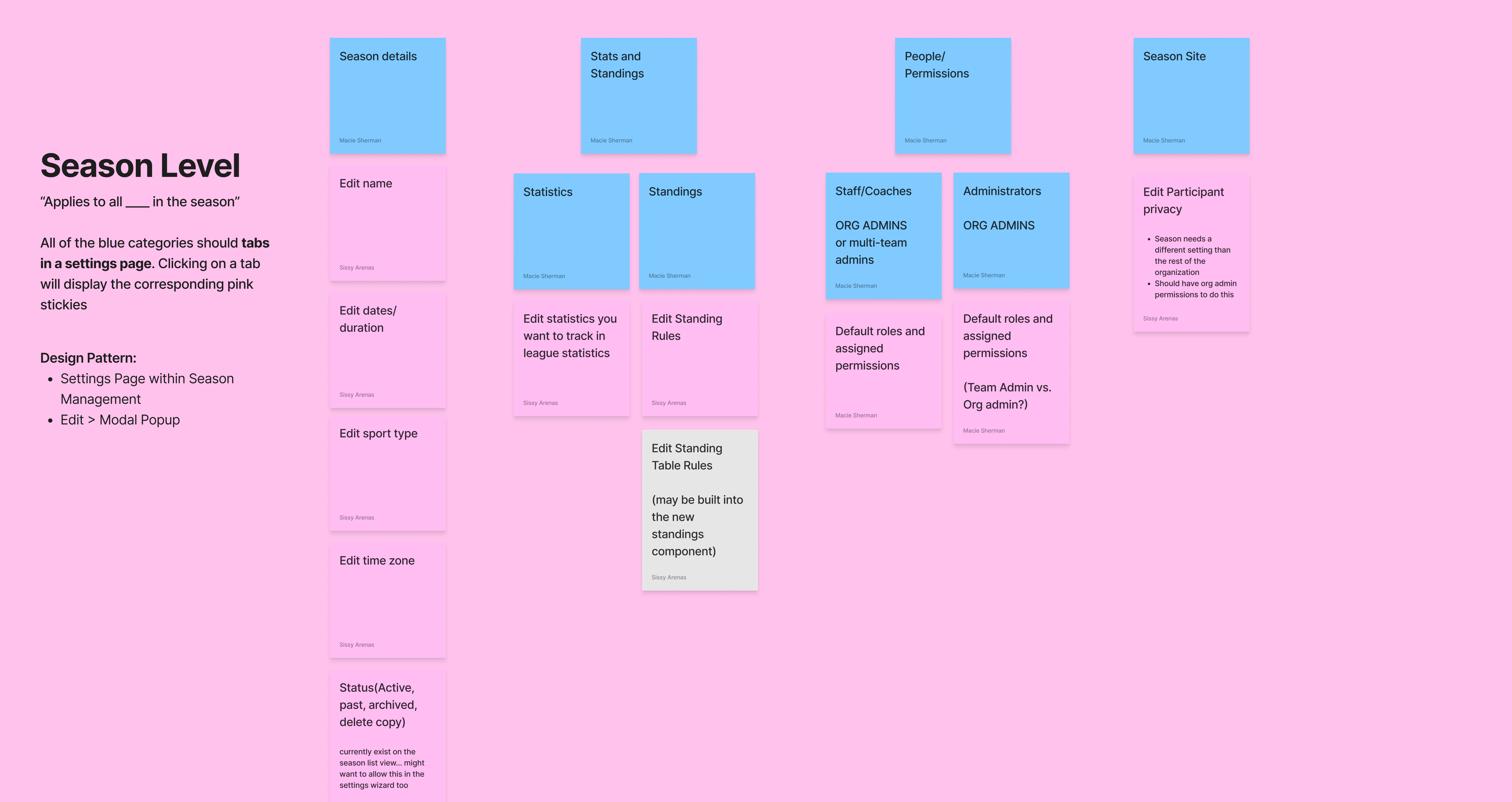
Next, there were season-level settings, meaning they affect things at a higher level. Editing a setting at the season-level "applies to all [blank] in the season." OOUX allowed us to break this down and determine which objects (settings) belong in this category.

I.e. editing the privacy setting for a player from private to public affects that player for all the teams they're in within the season.

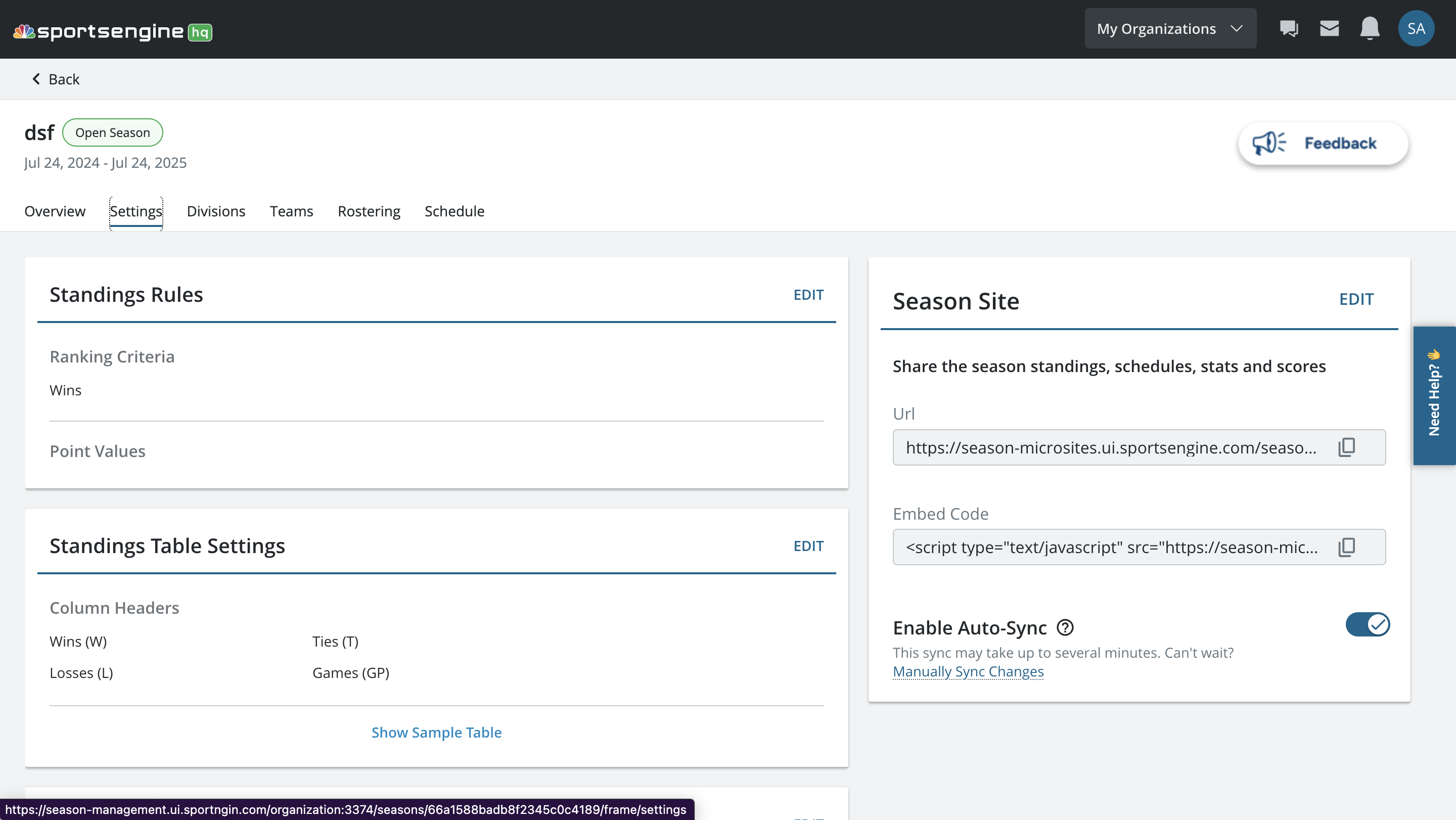
These settings ideally would be tucked away in a separate page within Season Management because they're not as frequently used. The settings in the previous "overview" and "settings" tabs in SM would be considered season-level settings.
Organization Level: Organization-wide settings
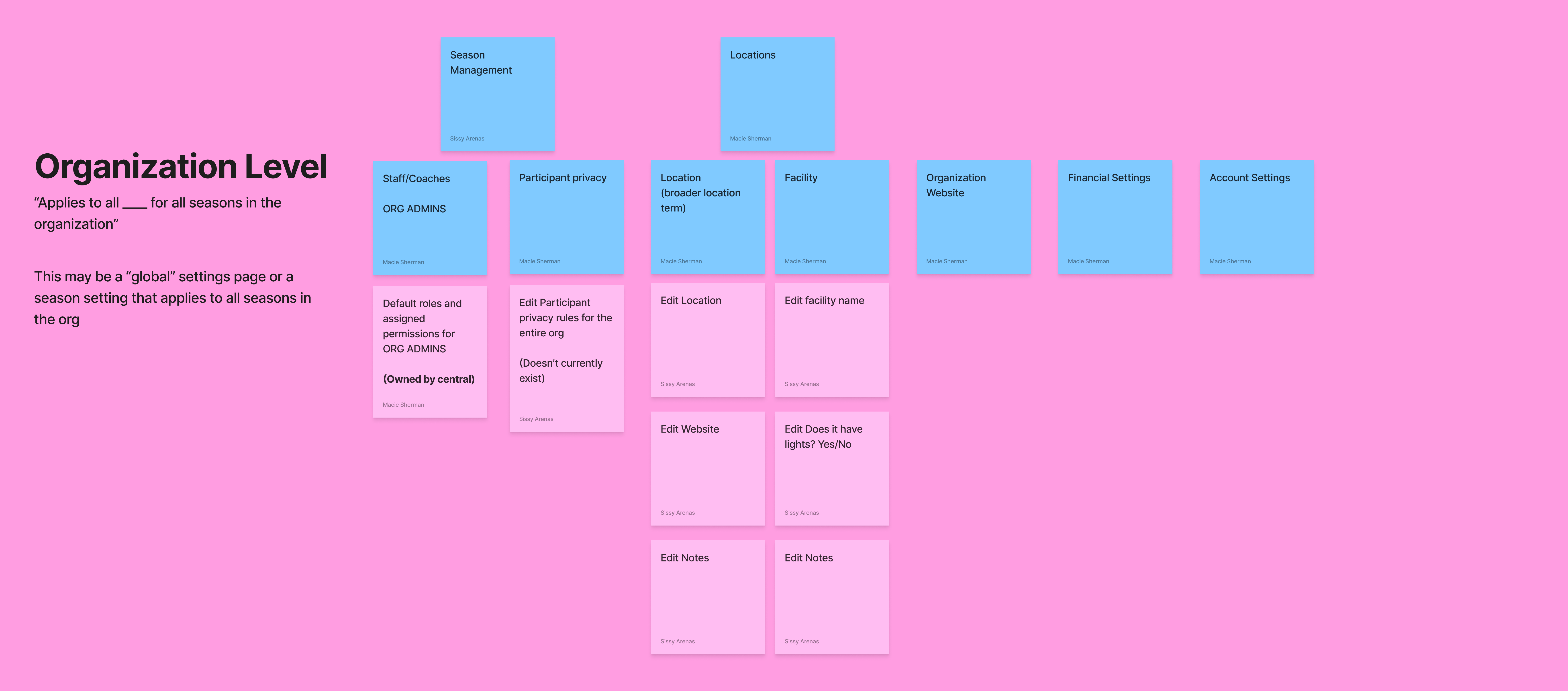
Determining the specifics of organization-level settings required more time and research due to the complexity of higher-level interactions and permissions. My role with org-level settings was to come up with a rough idea for it to be picked up by someone in the future.

Consistency in layout, terminology, and interaction patterns is crucial because it helps users orient themselves within the app. The OOUX workshop gave us a comprehensive view of SM and helped establish a consistent design pattern for editing higher and lower level settings. Once we had that understanding, Macie and I felt more confident about our plan for how to present settings.

Reflection

What I learned

Anchor in user mental models
Breaking down settings through OOUX showed how much easier admin tasks become when designs align with users' mental models.
Consistency Is scalability
Establishing clear patterns for editing and navigation makes the product easier to maintain and grow, saving future design and engineering resources.
Structure unlocks clarity
Organizing a complex system systematically (instead of adding features ad hoc) results in a cleaner, more powerful user experience.

What I'd Improve

If given more time, I would:
  • Conduct usability tests to validate the new design.
  • Measure success through metrics like time-on-task and task success rates.
    Run A/B tests comparing navigation satisfaction between old and new settings.
Although the redesign followed best practices and OOUX insights, validating with real users would have quantified the gains more clearly.
TL;DR (too long; didn't read)
✅ Redesigned Season Management Settings for efficiency and clarity
✅ Applied Object-Oriented UX to structure and prioritize edits
✅ Created scalable patterns for HQ, mobile, and future products
✅ Reduced friction for admins and strengthened platform consistency

Psst, you've reached the end...how about another story?